Clustering
Edit cells → Cluster and edit… (or C on the column you last used) finds groups of different values that probably mean the same thing, and merges each group into one value you choose.
Suggestions in the grid
When different text values share a fingerprint, the column header shows N variants · M groups. Click it to review the clusters. A dotted amber underline marks the affected text cells; identical repeats alone do not create a suggestion, and numbers and errors are excluded.
Suggestions follow the current facets and rows/records mode. They use the default fingerprint method, so other clustering methods may find additional groups. Nothing changes until you choose a merge. The first calculation scans the matching rows and distinct text values in each column; its result is reused while paging and recalculated after a data or filter change.
Methods
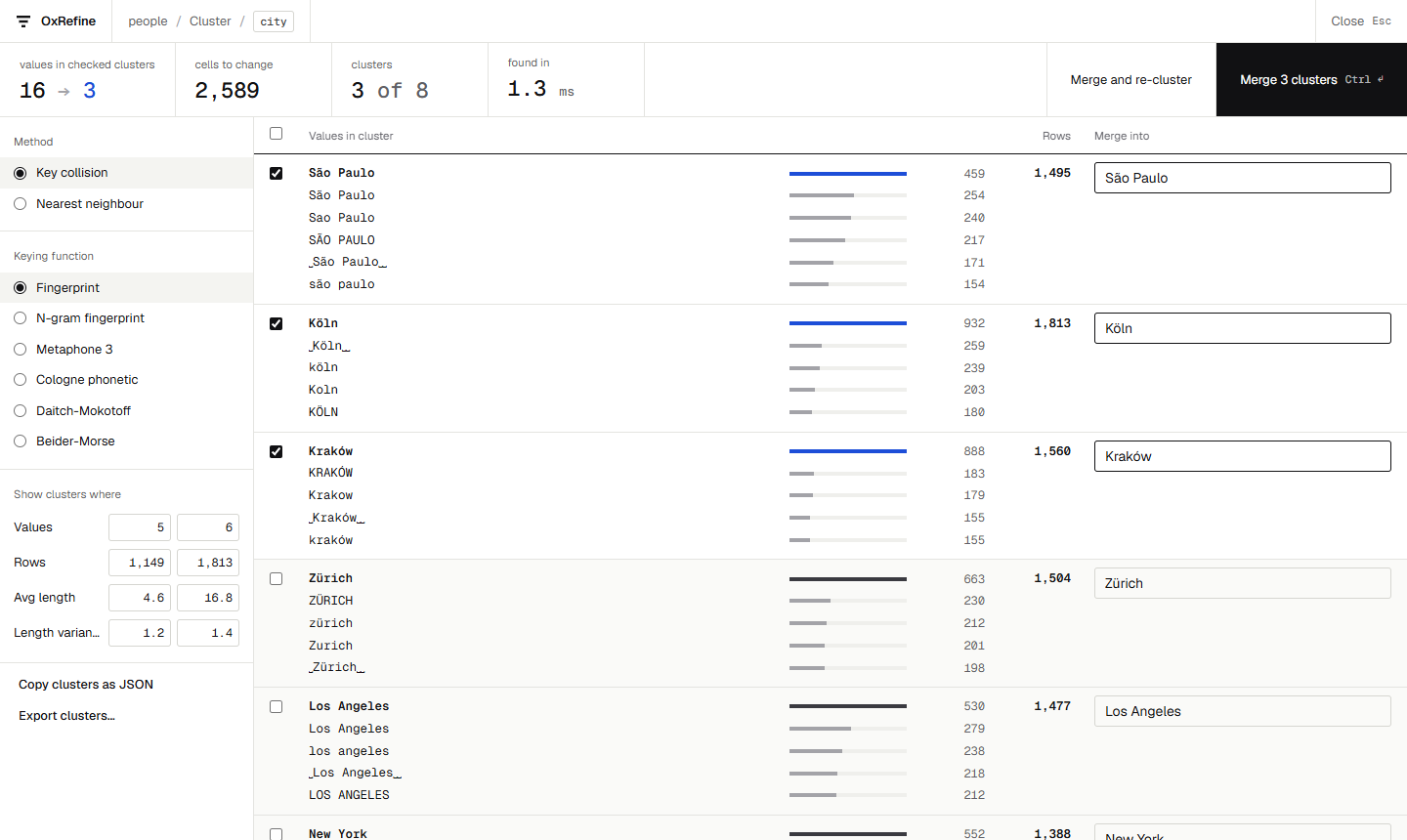
Key collision turns each value into a key, and values with the same key form a cluster. The keying functions are OpenRefine's:
- fingerprint ignores case, accents, punctuation, word order and extra spaces;
- n-gram fingerprint does the same on character n-grams, which catches typos inside words;
- metaphone3, cologne phonetic, Daitch-Mokotoff and Beider-Morse group values that sound alike.
Nearest neighbours groups values within a distance of each other. Levenshtein counts the edits between two values, ignoring case. PPM compares how well the two values compress together against how well each compresses with itself, so values that share long runs of characters come out close; it is OpenRefine's own PPM distance, byte for byte. The radius sets how far apart values can be (PPM distances are fractions, so radii like 0.5 make sense), and the block size speeds up the search on large columns.
Working through clusters
- Each cluster lists its values with their row counts and a bar for each one's share. The most common value is suggested as the new one; click any value to use it instead.
- Tick the clusters to merge and edit the new value if needed. The strip at the top shows what that does: how many values become how many, and how many cells change. Merge and re-cluster keeps the view open; Merge N clusters (Ctrl ↵) merges and closes it.
- Show clusters where narrows the list by values in the cluster, rows, average length and length variance, each typed as a from / to pair.
- Copy clusters as JSON and Export clusters save the clusters for review elsewhere.
Each merge is one mass-edit step in the history, the same operation OpenRefine records.